Online Licensing Guide
Login & Create your Organization
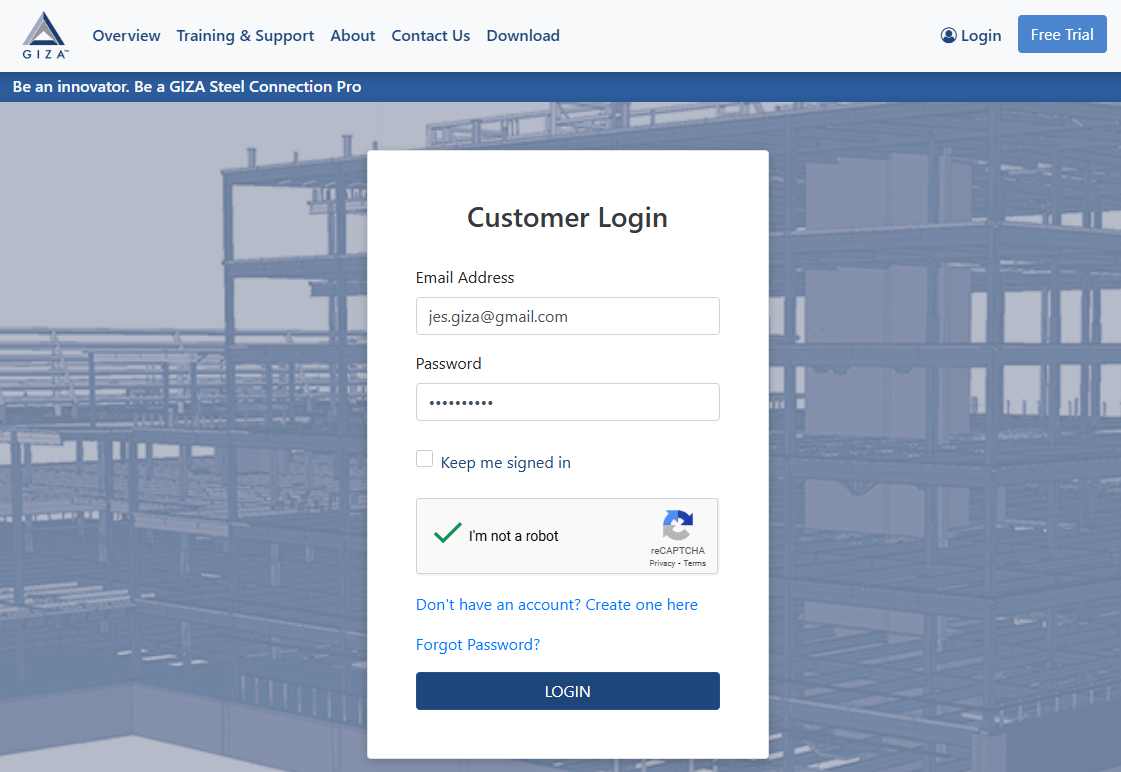
Visit GIZA Steel and login using your credentials.
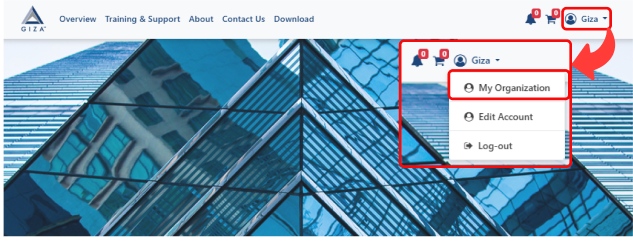
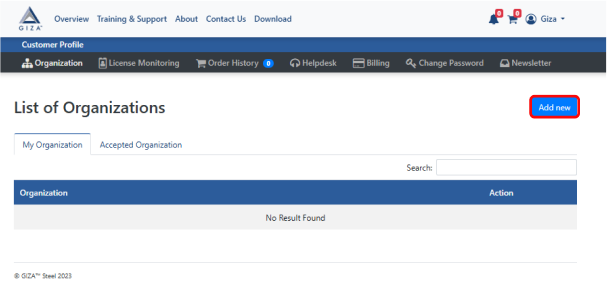
Navigate to “My Organization” in the dashboard, and click the “Add New” button to create a new organization.
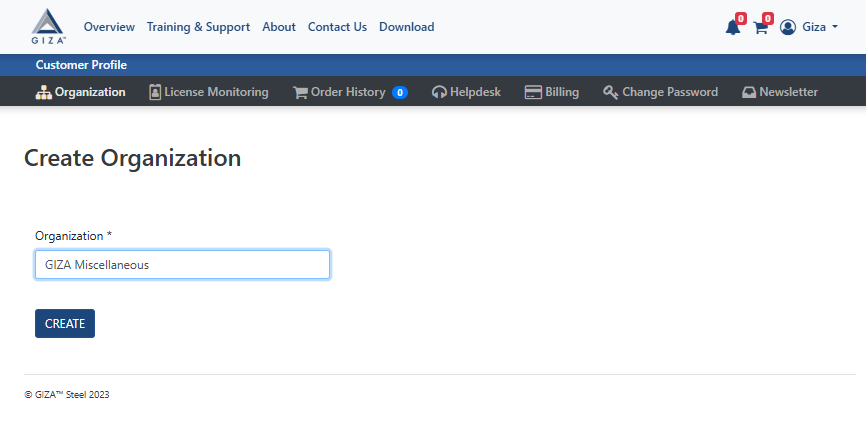
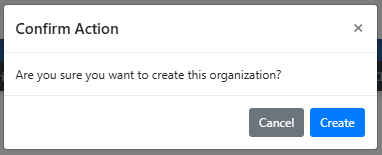
Enter your organization’s name, and a confirmation message will appear—click Create to finalize the creation.
Assigning Licensing
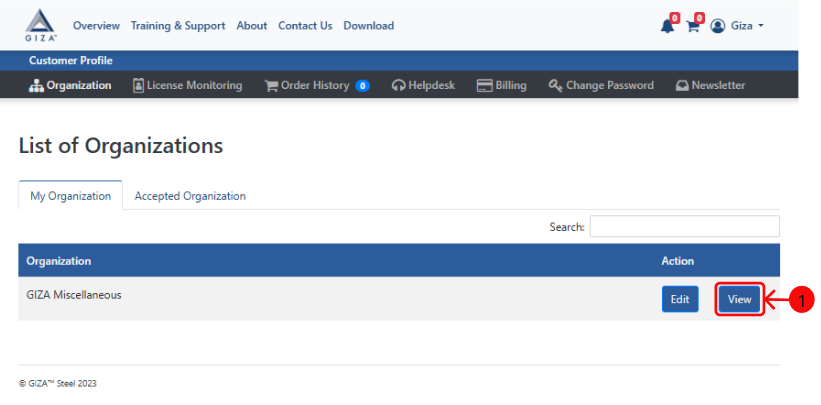
To view your chosen organization, navigate to the Organization Dashboard after it has been formed and click “View”.
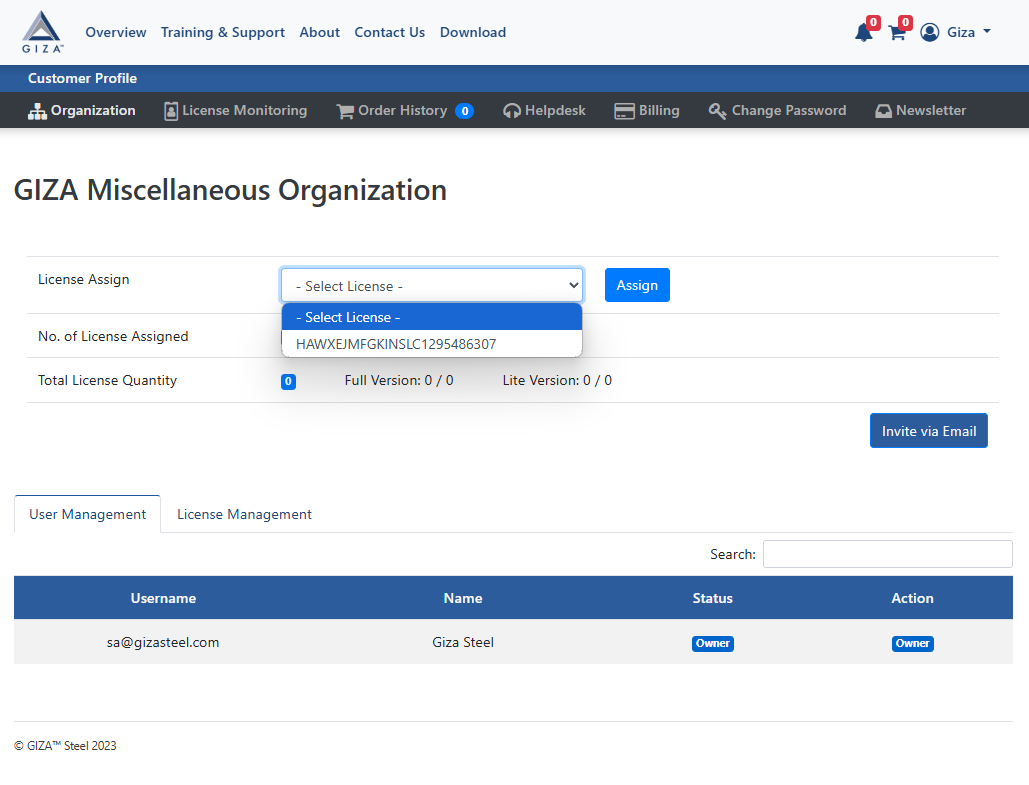
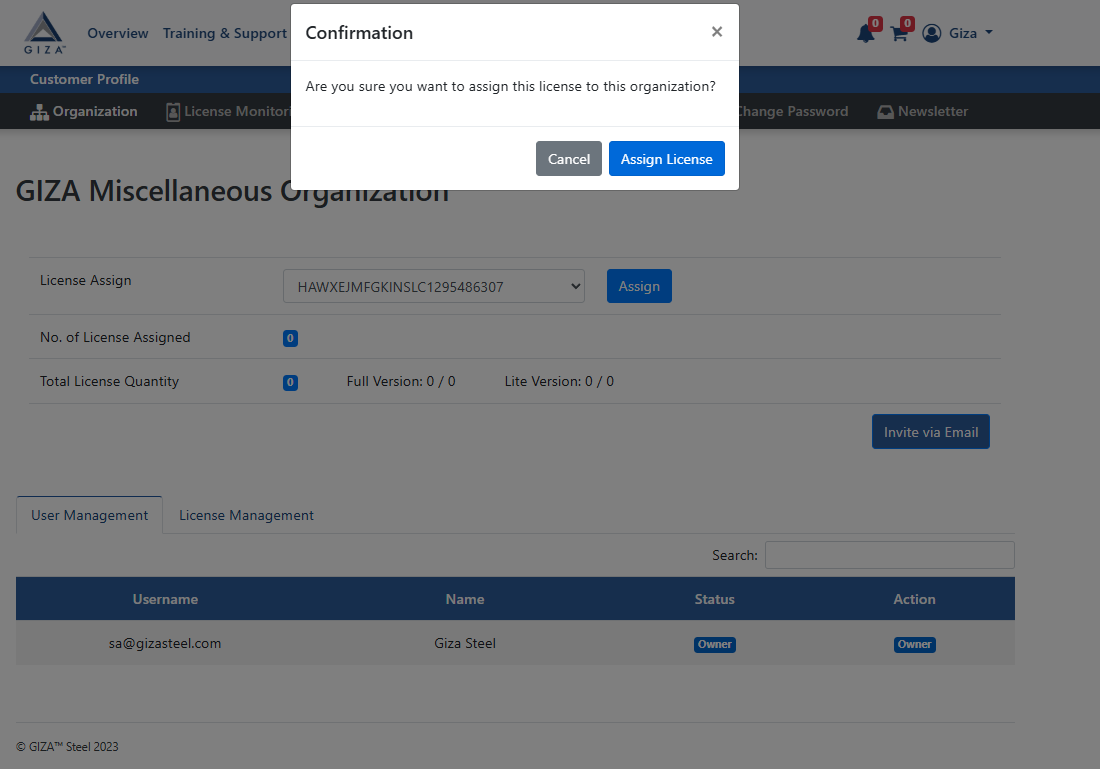
Choose the number of licenses you want to allocate to your organization. A confirmation message will prompt—click Assign License to proceed.
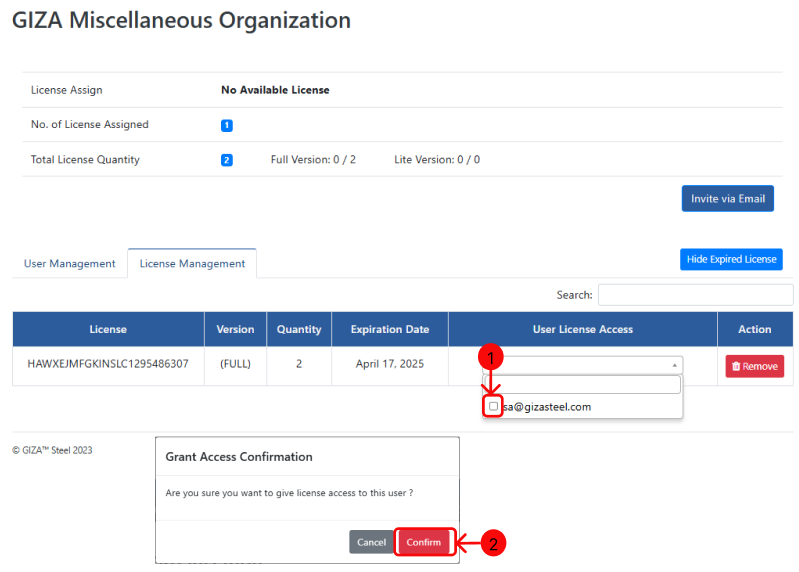
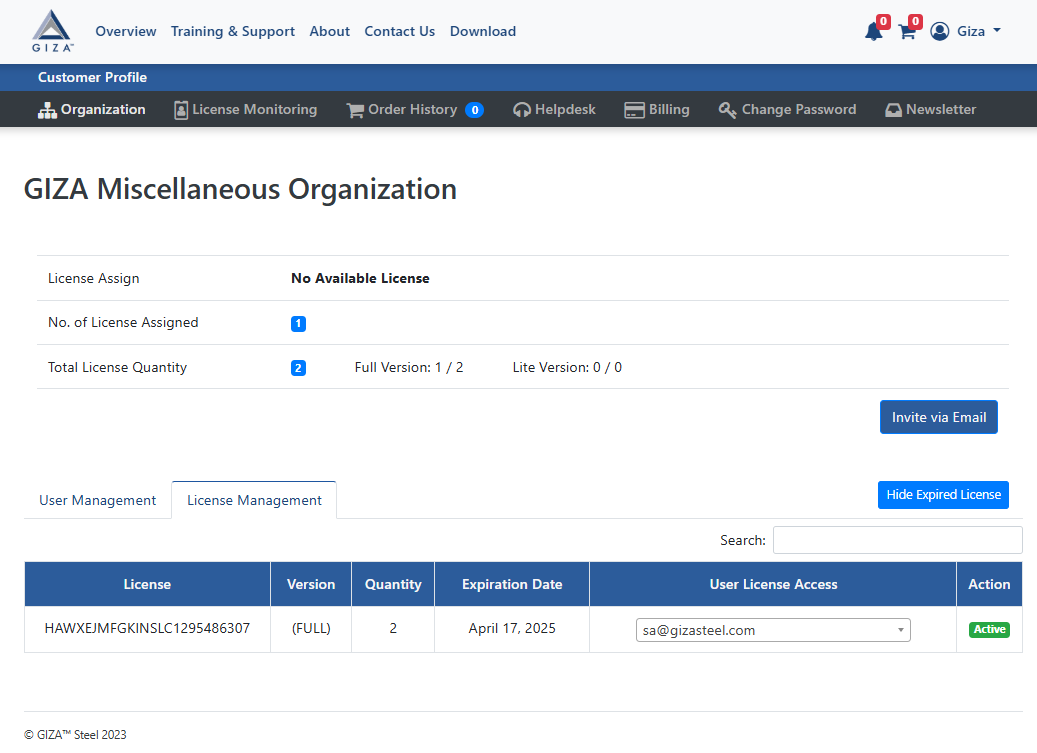
It will be directed to the License Management Tab, tick the check box to activate your access, then confirm the confirmation message.
Inviting Users and Managing Users to your Organization
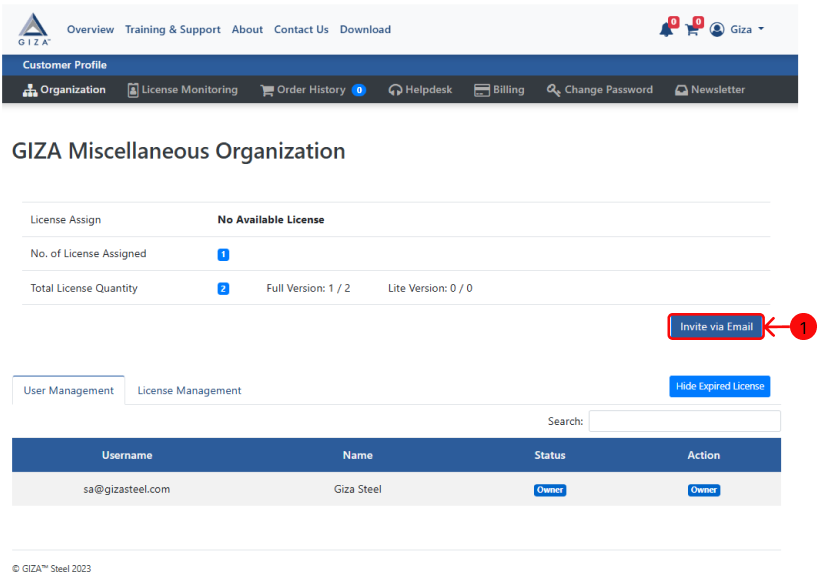
To add new user, click “Invite via Email” in the Organization Dashboard.
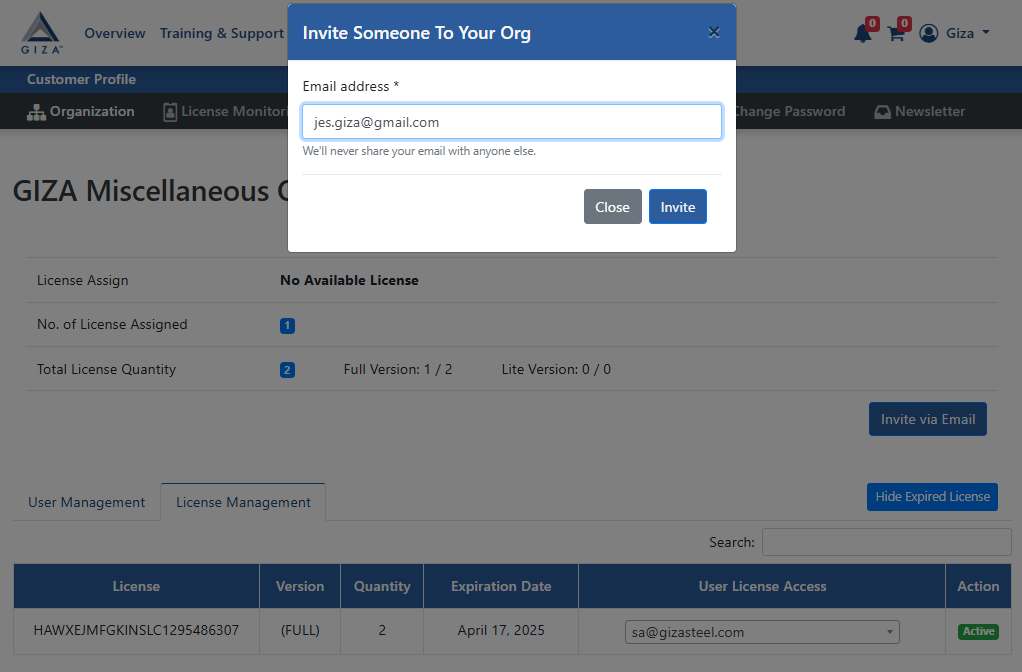
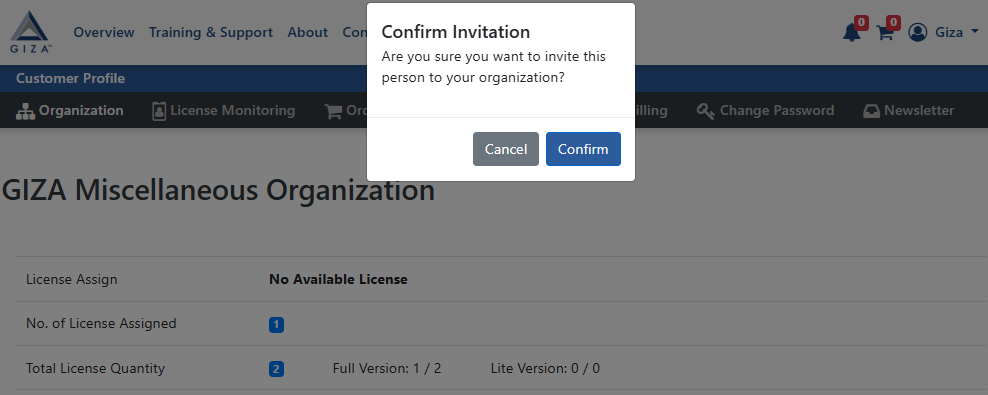
Enter the user’s email and click “Invite” and the confirmation message will appear—click “Invite” to proceed.
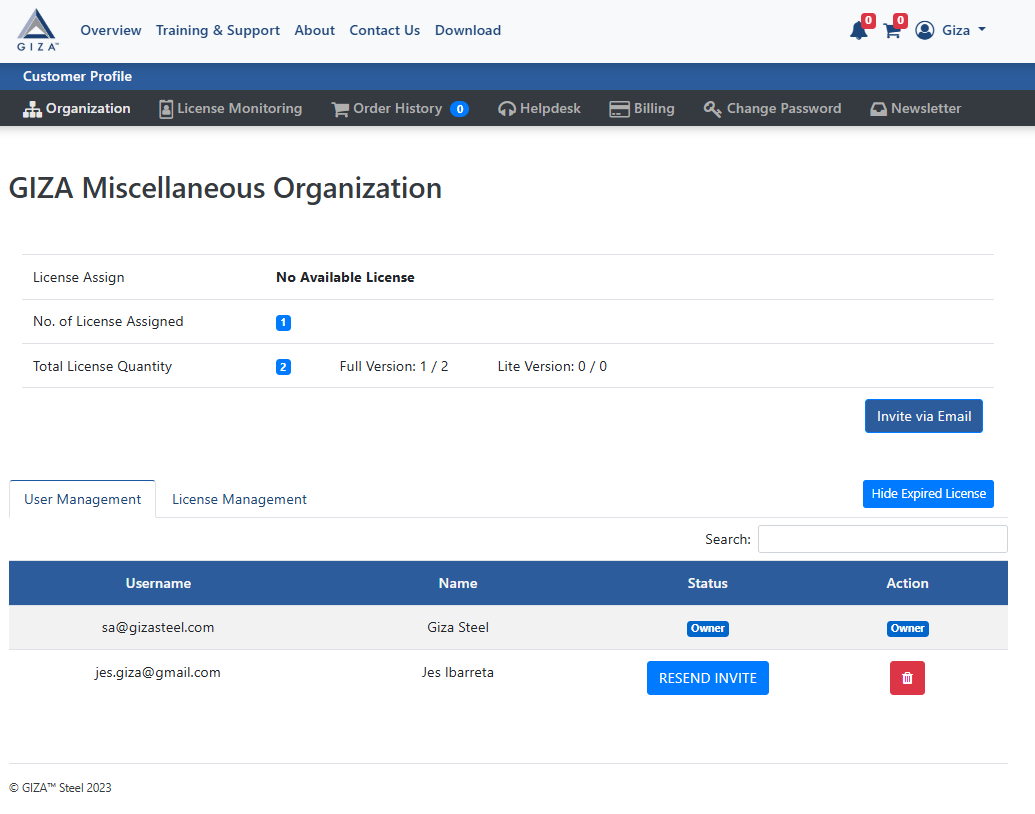
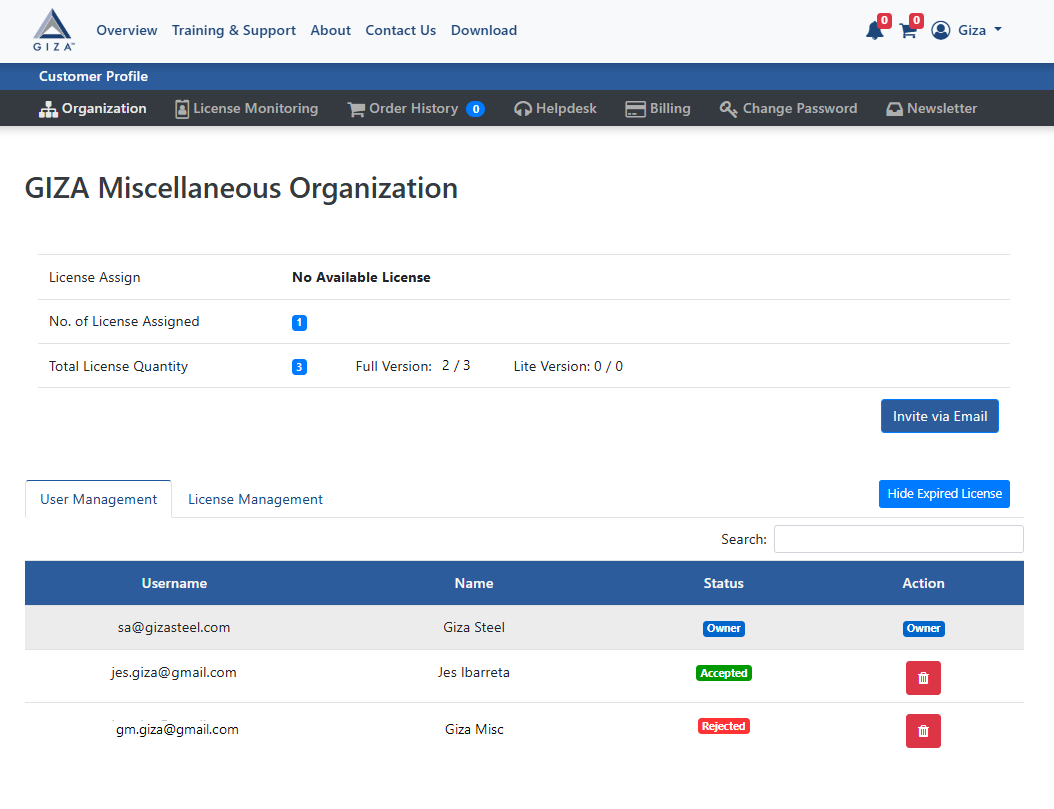
Once the invitation is sent, you can track the user’s status in the User Management tab:
From there you can see the status if they accept or reject your Invite
If the user has not yet responded, you can resend the email invitation by clicking “RESEND INVITE”
If a user is no longer needed, you can remove them from the organization.
Accepting an Invitation
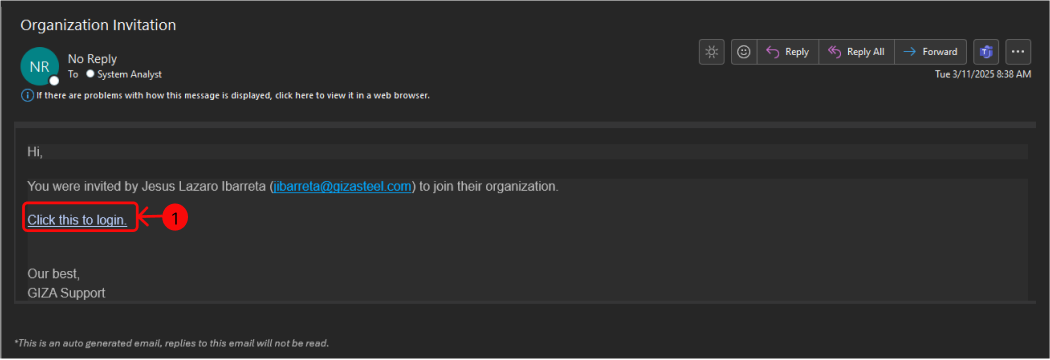
The invited user will receive an email invitation. Click on the invitation link, and login your user account and password.
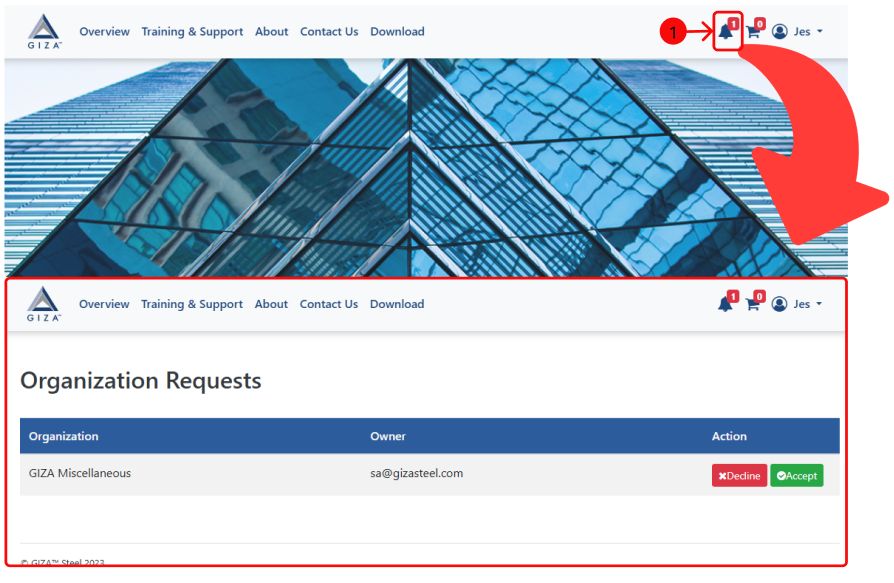
To view the Organization Requests dashboard, navigate to the dashboard and select the “Notification bell” button. Upon accepting or rejecting a request, a confirmation message will show up.
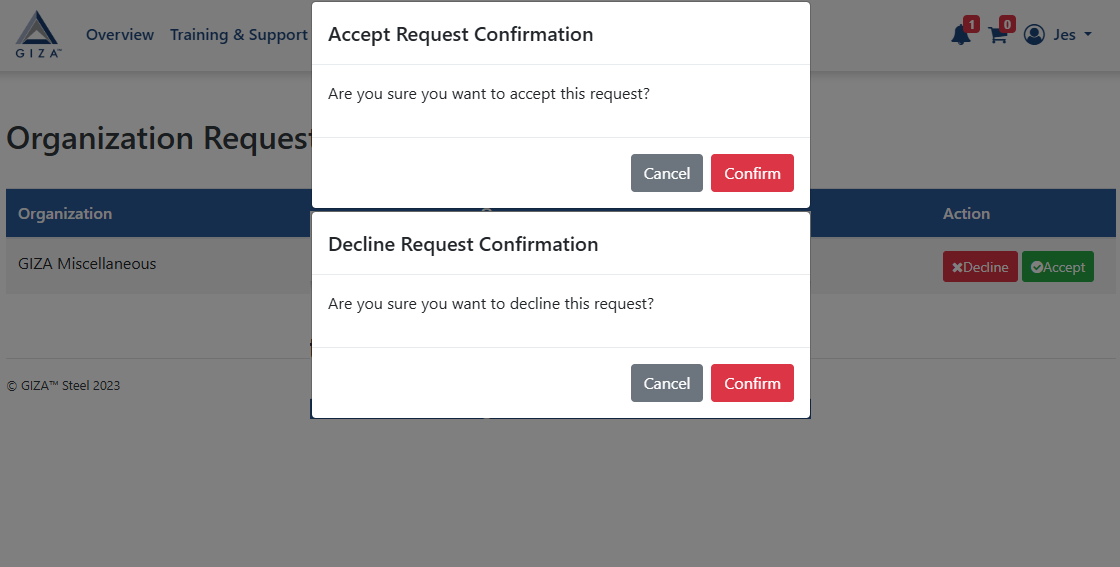
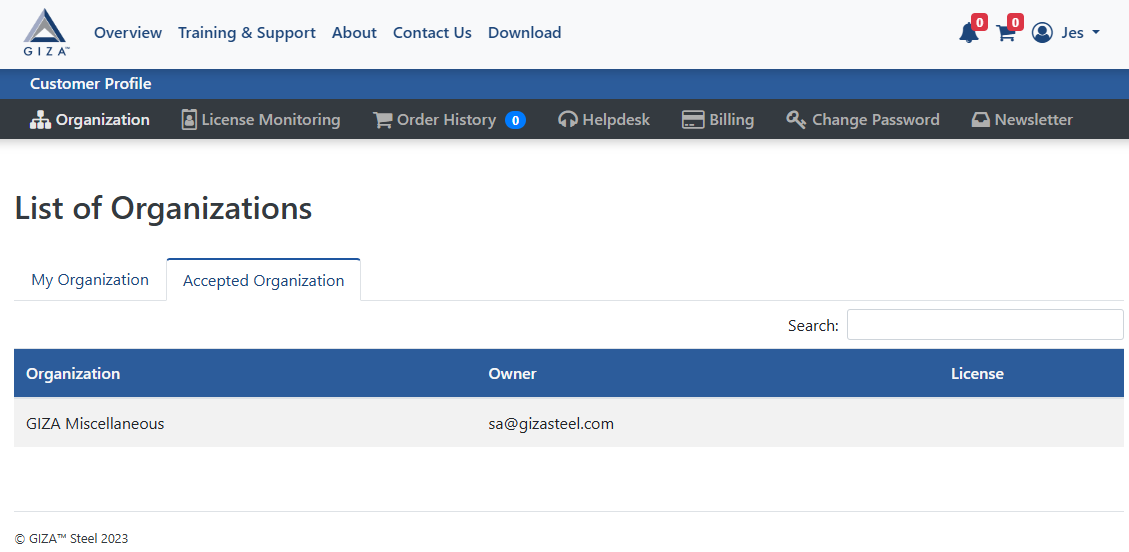
Once you accept the request, you will proceed to Organization dashboard and Accepted Organization tab.